Key takeaways
- Ethernet gives lower, steadier latency than Wi-Fi.
- Most home fibre plans in the UAE are fully used only on a wired connection.
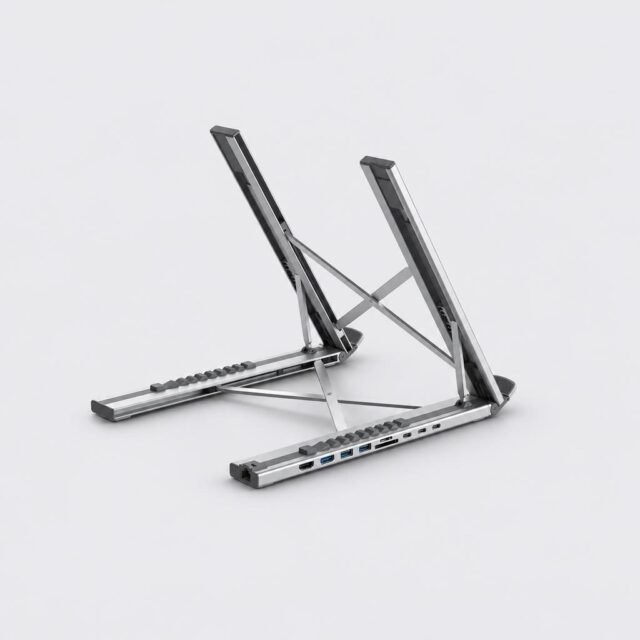
- Many USB-C hubs and docks include a gigabit Ethernet port.
- Use Cat 6 or better cables for gigabit and faster.
Quick answer: if you take video calls, stream, game or upload large files, plug in. Ethernet is more stable and has lower latency than Wi-Fi. A USB-C hub or dock with an Ethernet port is the simplest way to add it to a modern laptop.
Why wired is steadier
Wi-Fi shares the air with neighbours and other devices, and walls weaken the signal. A cable gives a dedicated path to your router, so speeds and latency stay consistent.
What you need
- A hub or dock with an RJ45 port (gigabit or 2.5G)
- A Cat 6 cable to your router
- A port on the router or a network switch
When Wi-Fi is fine
For browsing, email and streaming on a strong Wi-Fi 6 or 7 network close to the router, wireless is usually plenty.
See hubs and docks with Ethernet.
Frequently asked questions
Does Ethernet make internet faster?
It often delivers more of your plan's speed and always more stable latency, especially far from the router.
Do Macs need drivers for USB-C Ethernet?
Most hub Ethernet chips work without drivers on macOS and Windows.
Which cable should I use?
Cat 6 is a good default for gigabit and 2.5G connections.
Ask the Gaatly Concierge or message our team. We reply in minutes.