Key takeaways
- Pick the shape for your hand and grip first; sensor quality is excellent across good mice.
- Lighter mice (around 50 to 70g) are easier to flick and stop; heavier mice feel steadier for some players.
- Use eDPI (DPI multiplied by in-game sensitivity) to compare settings, not DPI alone.
- A 2.4GHz wireless mouse can match a wired one for latency; Bluetooth cannot.
Quick answer: choose a mouse whose shape fits your grip and hand size, aim for roughly 50 to 70 grams if you play fast games, use a 2.4GHz wireless receiver or a cable, and set 800 to 1600 DPI with your in-game sensitivity doing the rest. Every modern premium sensor is accurate enough; comfort decides the rest.
Marketing focuses on huge DPI numbers, but no one aims at 30,000 DPI. What separates a good gaming mouse from a great one is how naturally it moves with your hand, how cleanly it glides and how consistent it feels over a long session.
1. Start with your grip
| Grip | How you hold it | Look for |
|---|---|---|
| Palm | Whole hand rests on the mouse | Longer, higher-backed shapes, often ergonomic |
| Claw | Palm touches the rear, fingers arched | A pronounced rear hump, medium length |
| Fingertip | Only fingertips touch | Short, light, low-profile shapes |
A quick rule: measure from the base of your palm to the tip of your middle finger. Around 17 to 19cm is a medium hand; above 19cm, consider larger shapes; below 17cm, smaller ones. Ergonomic right-handed shapes support the palm; symmetrical shapes suit claw and fingertip grips and left-handed players.
2. Weight
Lighter mice need less effort to start and stop, which helps quick flicks and long sessions. Many competitive mice now weigh 50 to 70 grams. Some players prefer 80 to 100 grams for a planted, steady feel when tracking. Neither is wrong; if you are moving from an old office mouse, a mid-weight model is an easy transition.
3. DPI, sensitivity and eDPI
DPI (or CPI) is how far the cursor moves per inch of mouse movement. In-game sensitivity multiplies it. Players compare settings using eDPI: DPI multiplied by in-game sensitivity. At 800 DPI with a sensitivity of 0.5, eDPI is 400; at 1600 DPI and 0.25, it is also 400, and both feel identical in that game.
Many players use 800 or 1600 DPI because it keeps desktop movement comfortable and sensor behaviour consistent. Lower overall sensitivity means bigger arm movements and more precision, which is why desk space and a large mat matter.
4. Polling rate and wireless
Like keyboards, mice report at 1000Hz as standard, with 2000, 4000 and 8000Hz modes on newer models. Higher rates make cursor movement smoother on high refresh monitors and reduce delay slightly, at the cost of battery life and some processor load. On a 240Hz or faster monitor you may notice the smoothness; on a 60Hz TV you will not.
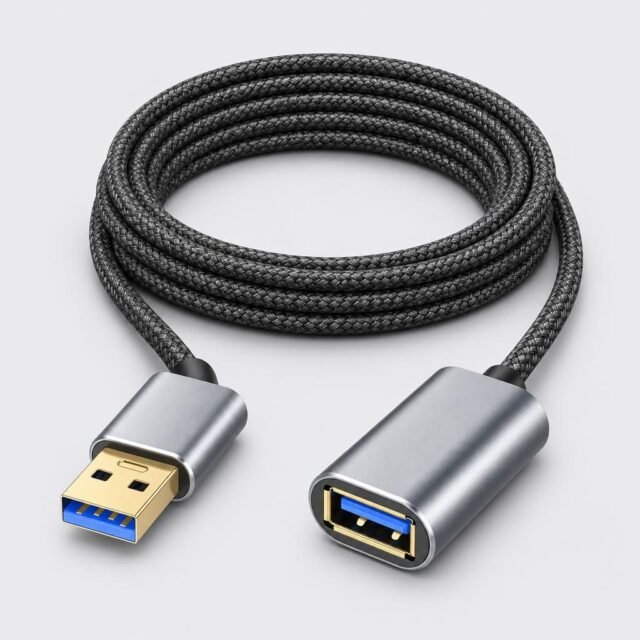
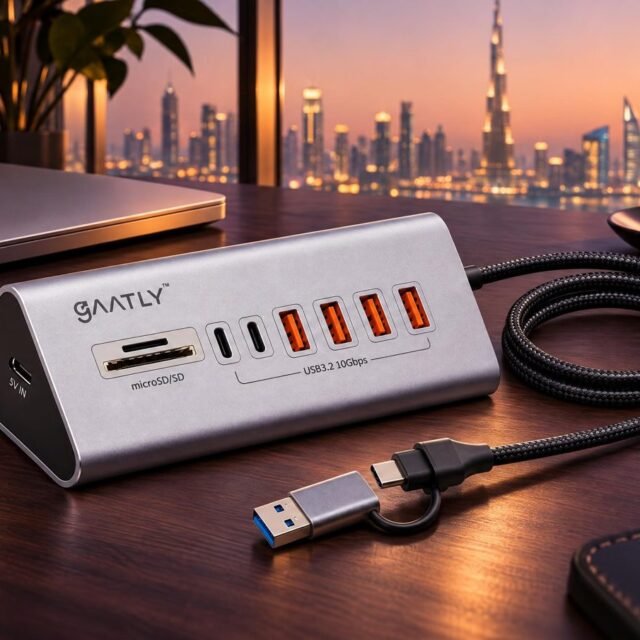
Wireless gaming mice use a dedicated 2.4GHz receiver with latency comparable to a cable. Place the receiver close to the mat: on the desk with a short extension cable, or in a front port of a desk hub. A receiver plugged into the back of a PC tower under the desk, behind metal, is the most common cause of stutter.
5. Feet, cable and surface
PTFE feet glide smoothly and replaceable sets are cheap to renew. If you use a wired mouse, a light braided cable and a bungee stop the cable dragging on the desk edge. The surface under the mouse changes the feel as much as the mouse itself; see our desk mat guide.
6. Buttons and software
Two side buttons are standard and enough for most games. MMO and strategy players may want more. Good software stores DPI, polling and button settings on the mouse itself, so the same settings work on another PC or a laptop without installing anything.
7. Mouse settings worth checking
- Turn off Windows “Enhance pointer precision” so movement is consistent.
- Set lift-off distance to low if available, so the cursor does not drift when you reposition.
- Match polling rate to your monitor: 1000Hz for 60 to 144Hz, higher for 240Hz and above if your PC handles it.
- Charge overnight on a short braided USB-C cable rather than leaving the mouse wired during play, unless you prefer it.
Build the rest of the setup with our keyboard guide and gaming desk setup guide.
Standards and sources
Frequently asked questions
What DPI do professional players use?
Most use 400 to 1600 DPI and adjust in-game sensitivity. What matters is total sensitivity (eDPI), which tends to be low in tactical shooters and higher in fast arena games.
Is a wireless gaming mouse slower than wired?
Not with a 2.4GHz receiver from a good brand. Latency is comparable. Bluetooth mode is slower and best kept for laptops.
How heavy should a gaming mouse be?
Many competitive players prefer 50 to 70 grams. If you track targets steadily or come from an office mouse, 75 to 95 grams can feel more controlled.
Ask the Gaatly Concierge or message our team. We reply in minutes.