Key takeaways
- PS5 games must run from internal storage or a compatible M.2 SSD, not from USB.
- USB drives are ideal for storing PS5 games and for playing PS4 games.
- On Xbox Series X|S, Series games run from internal storage or an official expansion card.
- Large launches can need over 200GB, so check free space before preloading.
Quick answer: to play more PS5 games at once, add a compatible PCIe Gen4 M.2 NVMe SSD with a heatsink to the console’s expansion slot. On Xbox Series X|S, add an official Storage Expansion Card. Use a USB drive to store games you are not playing and to run older generation titles.
Modern blockbusters regularly exceed 100GB, and some of the largest releases ask for more than 200GB. A standard console fills up after a handful of games, which makes understanding the storage rules worthwhile.
PS5 and PS5 Pro
The M.2 expansion slot
Every PS5 model has an internal M.2 slot for additional fast storage. Sony’s guidance calls for:
- PCIe Gen4 x4 M.2 NVMe SSD
- Capacity from 250GB up to 8TB
- Sequential read speed of 5,500MB/s or faster recommended
- Sizes 2230, 2242, 2260, 2280 or 22110
- A heatsink or heat-dissipating structure, either built in or fitted, within the size limits
Games installed on the M.2 drive run exactly like those on internal storage. The console formats and tests the drive the first time you install it.
USB extended storage
A USB drive (SuperSpeed USB 5Gbps or faster, 250GB to 8TB) can store PS5 games and play PS4 games. PS5 games must be moved back to internal or M.2 storage to play, which is much faster than downloading them again.
Xbox Series X and Series S
- Storage Expansion Card: plugs into the rear slot and plays Xbox Series X|S optimised games at full speed.
- USB 3.1 external drives: can store Series X|S games and play Xbox One, Xbox 360 and original Xbox titles directly.
Managing big launches
- Check the download size on the store page before preordering.
- Move games you are not playing to USB storage rather than deleting them.
- Preload over Ethernet if possible; large downloads over Wi-Fi can take many hours.
- Keep 10 to 15 percent of the drive free so updates install smoothly.
Connecting external drives properly
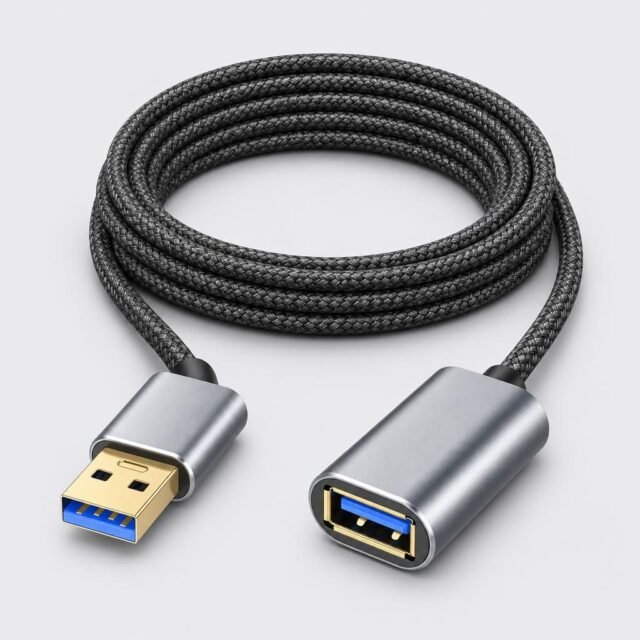
Use the console’s rear USB ports for external drives where possible, and a short, high-quality USB cable. Long or low-grade cables cause disconnections that interrupt transfers. If you need a little more reach, a 5Gbps-rated USB 3.0 extension cable keeps full speed.
Standards and sources
Frequently asked questions
Can I play PS5 games from an external USB drive?
No. PS5 games can be stored on USB extended storage but must be played from internal storage or an M.2 SSD. PS4 games can be played from USB.
Does a PS5 M.2 SSD need a heatsink?
Sony recommends a heatsink or heat-dissipating structure. Many drives come with one built in; check that the total height fits the slot.
How much space do new games need?
It varies widely. Many modern games need 50 to 150GB, and the largest launches can need more than 200GB including updates.
Ask the Gaatly Concierge or message our team. We reply in minutes.